You have an idea for a web application. Maybe it's a customer portal, a system for managing work orders, or a product you want to sell as a subscription. Sooner or later the question comes up:
How much will it cost?
The honest answer is: it depends. But that answer doesn't help much until you know what it depends on.
Two projects that can be described with the same sentence can differ in cost several times over.
So instead of a single amount, you'll find seven factors here that have a big impact on pricing. Thanks to them, you'll be better prepared to talk with a contractor and compare the offers you receive.
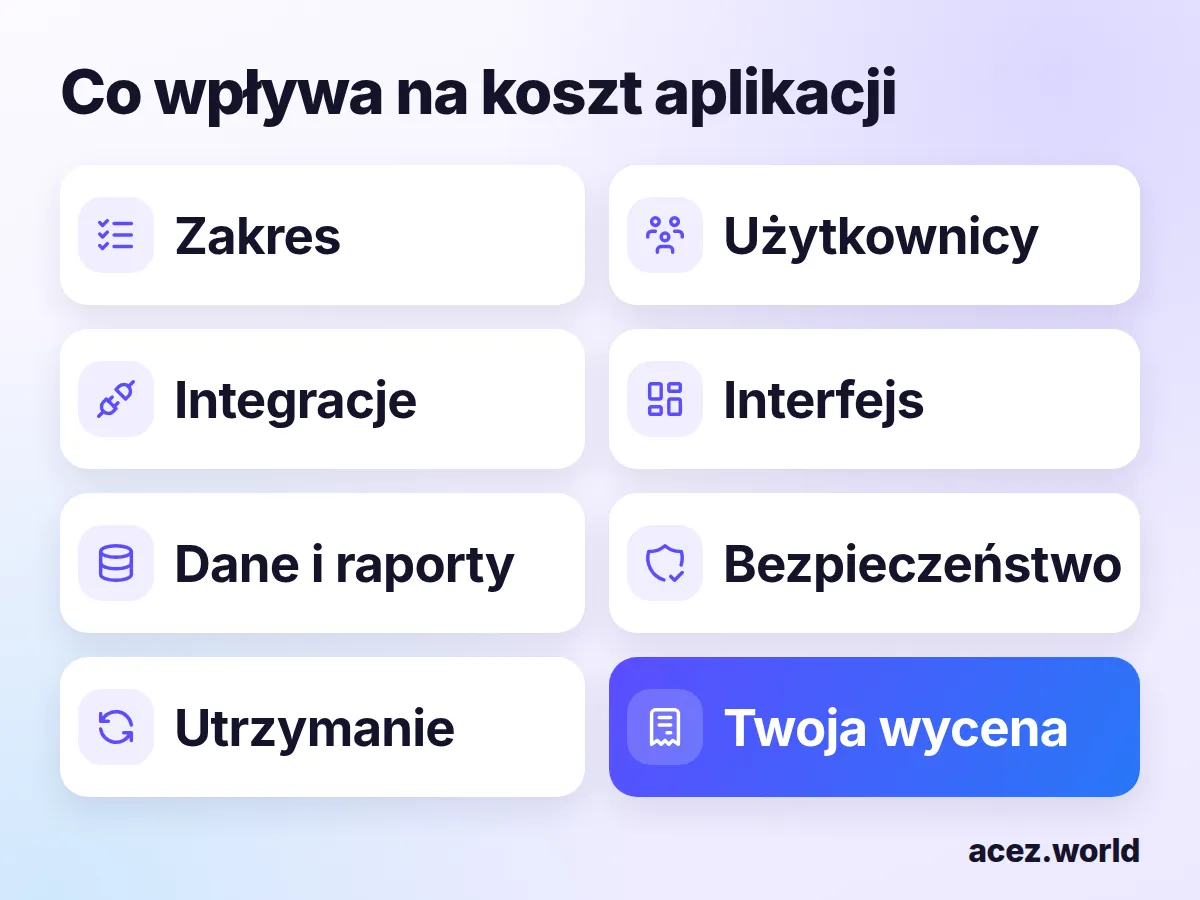
1. Scope: what the app should do at first
Each feature is separate work: analysis, design, development, testing, and later maintenance.
Let’s take an ordinary appointment booking. It sounds simple. But after a moment, a calendar, notifications, canceling appointments, payment in advance, and a panel where someone manages all of this appear.
Ask yourself three questions:
What must the user be able to do from day one?
What would make the app pointless if it were missing?
What can wait for version two?
MVP, or the first usable version, is a paid first stage. It lets you test the idea before you invest in the whole thing.
MVP is not a makeshift. It is a narrow but working product that can be further developed.
2. Users, roles and permissions
An app for one type of user is different work than a system with customers, employees, administrators and partners.
Each role needs its own screens, access rules and tests. You also need to answer who sees whose data, who can change it, and who approves the next steps.
What can you do? List the roles and, for each, two or three most important tasks. Such a sheet makes the first conversation much easier.
3. Integrations with other systems
Online payments, invoicing software, CRM, courier companies, calendars, partner systems. An app rarely works alone.
The cost is determined not only by the number of connections. What also matters is:
whether the other system has documented API,
whether data flows one way or both,
what should happen when the other side is temporarily unresponsive,
whether you have test access to that system.
A connection to a well-documented API is completely different work than integrating with an old program without documentation.
4. Interface and ease of use
The interface can be assembled from ready-made components or designed from scratch. In a tool for employees, ready-made elements are often quite sufficient. In a product that itself has to convince the customer, design carries more weight.
Add to that things that are easy to forget: mobile view, empty screens before first use, clear error messages, and accessibility for people with different needs.
A good interface is not decoration. It means fewer questions for support and faster work for users.
5. Data: migration, import, and reports
If you currently work with spreadsheets or in a legacy system, the data will need to be migrated. That means cleaning it up, checking it, and handling exceptions. This stage tends to be underestimated.
Similarly with reports. For each one, it’s worth determining what data it uses, how fresh it needs to be, and whether it needs to be exported.
A quick tip: prepare a sample data file without sensitive information. The contractor will assess faster how much work migrating the data requires.
6. Security, regulations, and performance
Login, permissions, backups, personal data and GDPR, payments, higher traffic. Requirements depend on what the application stores and who uses it.
A system with customer data needs more security than a public calculator without login.
These elements are not worth treating as an add-on at the end. Added after the fact, they usually require reworking what has already been built.
7. Maintenance after deployment
Launching the application is the beginning of its life. After that, the following come up:
hosting, domain and backups,
library updates and security patches,
fees for external services, such as payments, email sending, or AI models,
bug fixes and monitoring,
new features requested by users.
When asking about price, ask about two costs: building the application and running it in the following months.
Three levels of project. Where is yours?
This is a simplification, not a price list. However, it helps name the scale of the undertaking.
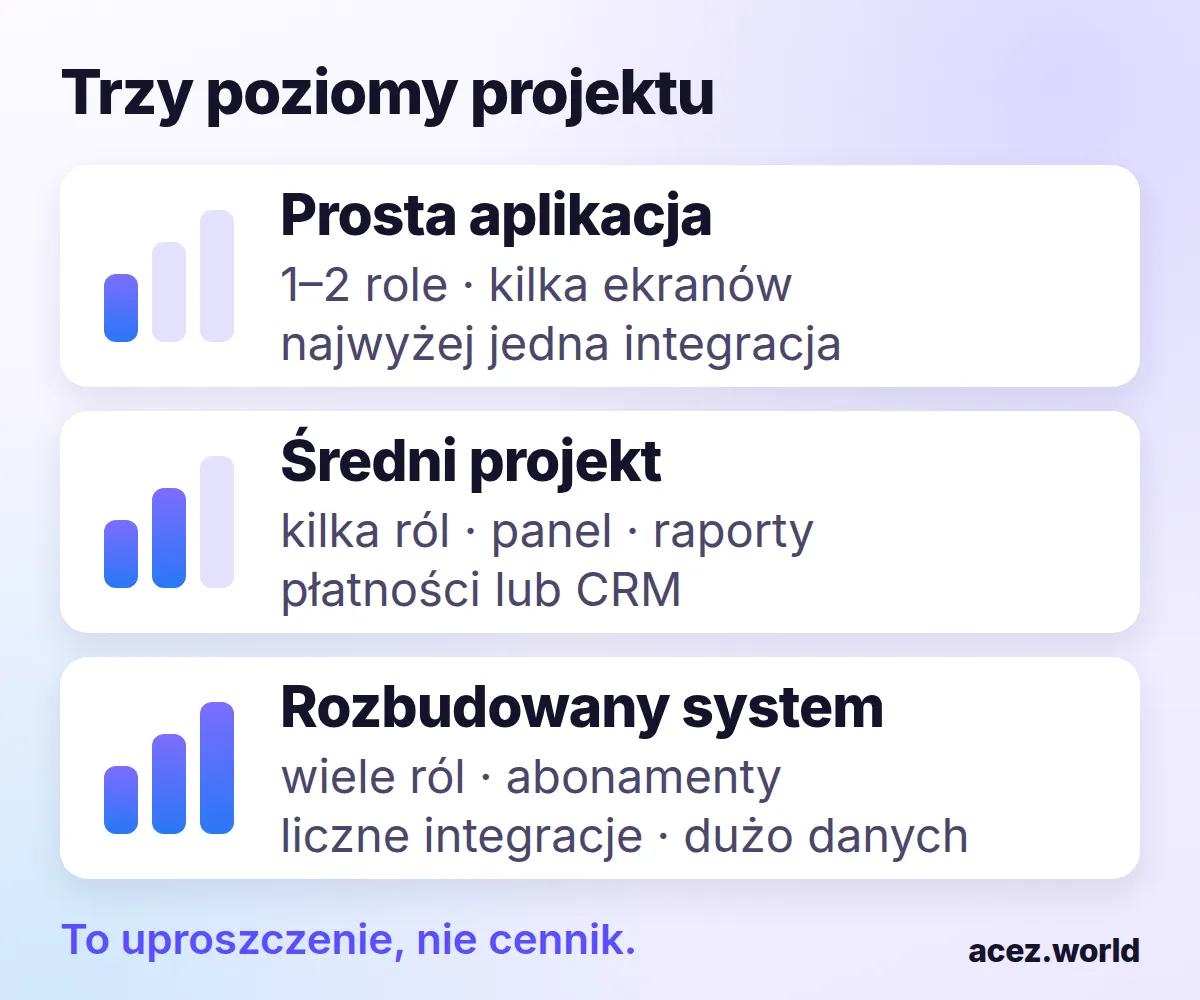
Simple app: one or two roles, a few screens, at most one integration. Example: a submission form with a panel to manage them.
Medium project: several roles, an admin panel, payments or a CRM, reports. Example: a customer portal or booking system.
Advanced system: many roles, subscriptions and billing, numerous integrations, lots of data, and high security requirements. Example: a SaaS platform.
How billing works for a project like this
You’ll mainly come across three models:
Fixed price works well when the scope is closed and well described.
Hourly billing suits further development, when priorities change.
Subscription covers maintenance and ongoing care of the application.
No model is always best. It’s important to agree on the model before work begins.
How to lower cost without lowering quality
Start with an MVP. Add the rest once you see what people actually use.
Choose one platform to start. A well-functioning web app is often enough. A mobile app can be added later.
Use ready-made services where they don’t give you an advantage, for example for payments or sending emails.
Check if you need a separate system. If your company runs on WordPress, sometimes a custom plugin is enough.
Appoint one decision-maker. Clear decisions mean fewer corrections.
Don’t skimp on testing and security, though. Those savings tend to come back as higher costs.
And if what you need more than an app is a better company website, start with the article Does your website really work for your business?
Before you ask for a quote: a short checklist
Answer in a few sentences:
What problem is the app supposed to solve and for whom?
Which three user actions are most important?
Who will use it and with what permissions?
What systems should it connect to?
What data needs to be transferred?
Is there a deadline driven by business needs?
What budget are you considering? Even broad ranges help choose the right solution.
You don’t need a ready-made specification. These answers are enough to make the cost conversation meaningful.
Scope first, then price
At Acez World we build web and SaaS applications. After an initial conversation and a brief requirements analysis, we provide a price range, and for larger projects we start with a separate, paid pre-implementation analysis.
We work in short iterations and show working versions along the way. You talk directly with the person who builds your project. Our team has over 20 years of programming experience, and we treat AI as an aid: everything that reaches you is approved by a specific person.
Frequently asked questions
Can you give a price without analysis?
You can give a rough order of magnitude. A binding quote requires understanding the scope. Without this, the contractor is guessing, and the risk falls on one of the parties.
Why do offers differ so much?
Often because each one describes a different scope. Check whether it includes testing, deployment, an admin panel, documentation, maintenance, and rights to the code.
Is a custom application better than an off-the-shelf tool?
Not always. If a ready-made product fits the way your company works, it is worth starting with it. A dedicated solution makes sense when the tool forces workarounds or your process gives you an advantage.